Locate. And transmit.
Tap the map or search for an address. Set your test location exactly where you need it.
 fake gpsGoogle Play ↗
MEDIELSOFT / A TOOL FOR CHANGING LOCATION
FAKE GPS LOCATION PRO
The world within reach.
Without leaving your desk.
Change direction. Pick a place. Move with the joystick. Your pocket navigator for testing a world that starts beyond the screen.
ANDROID APPLICATIONGet it on Google Play50.0870° N, 14.4210° EInteractive illustration. Does not change your device's location.
01 / ANATOMY OF A POCKET NAVIGATOR
Tap the map or search for an address. Set your test location exactly where you need it.
The floating joystick simulates movement while you use another app. Test what happens between start and destination.
Save favourite locations and return to your test scenarios. The app remembers your last selected place.
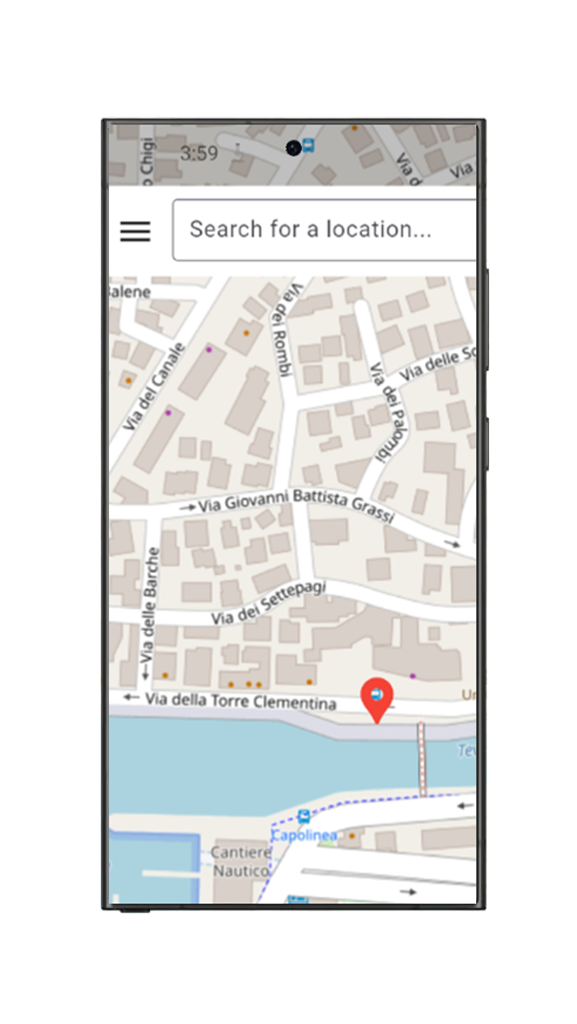 THE REAL APP / GOOGLE PLAY
02 / A REAL APP UNDER THE HOOD
Clear controls, place search and a quick start. A tool for developers and anyone testing location-aware applications.
03 / GETTING STARTED
Get Fake GPS Location Pro from Google Play on your Android phone.
Select Fake GPS as the mock location app in Android's developer options.
Search for an address or tap the map. Start the simulation and begin testing.
No. The app uses Android's system mock location feature. Select it in the developer options.
Some applications detect or block mock locations. Compatibility with every app cannot be guaranteed. Fake GPS is intended for development and testing.
Write to erdt.martin@medielsoft.cz or read the app privacy policy.
COORDINATES READY. WAITING FOR YOU.
Fake GPS Location Pro · Android